Convert an RVT to a self-contained HTML viewer
Not a screenshot, not a link: the Revit model itself as one HTML file, geometry and properties included.
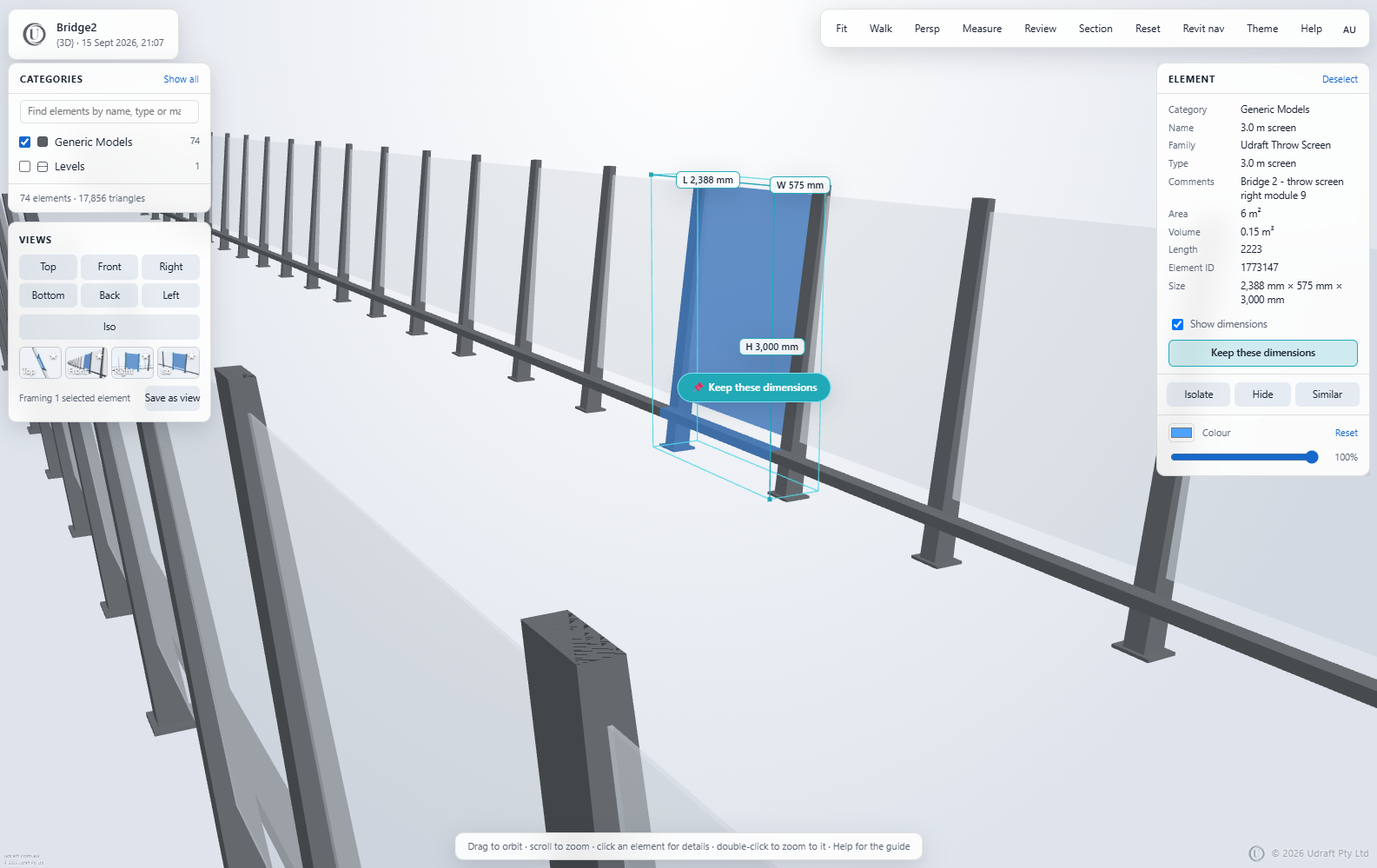
What is in the file
- Every visible element of the chosen 3D view, with its category, family, type and instance parameters.
- Levels, so the viewer can show one floor at a time and draw a plan minimap.
- Linked models, when a federated set is uploaded as a .zip.
- The viewer itself: no library is fetched from the internet when it opens.
Choosing the view
Name a 3D view Udraft in Revit and it is always the one exported. Otherwise convert once and the page lists the model's own 3D views to pick from.
How it works
- Drop the file on the Create page. No account is needed for the open formats; Revit, DWG and Navisworks need an account with tokens.
- A minute or so later you download one HTML file. That file is the whole viewer: the geometry, the properties, the tools.
- Send it. It opens in any modern browser, on a laptop, a tablet or a phone, with nothing to install and no login. It works with the internet switched off.
What the person you send it to can do
- Orbit, pan and zoom; select elements and read their properties.
- Measure distances, angles and diameters with snapping.
- Cut sections, walk through at eye height, save views.
- Pin comments and markups, then export a review report or spreadsheet back to you.
Examples
Made by the service. Open the viewer in a new tab, or download it beside the model it came from.
Try it on your own model
Open formats convert free with no account; Revit, DWG and Navisworks need an account with tokens. One self-contained HTML file: nothing to install, nothing to host, works offline, small enough to email.
More guides
Revit viewer: share an RVT model as one HTML file
Upload the .rvt, or export from inside Revit with the add-in so the model never leaves your PC. Either way the result is…
IFC viewer online, free: one HTML file, no install
IFC is the format everyone can export and nobody can open without another install. Drop it here and get one HTML file ba…
DWG viewer: send a drawing as an interactive 3D file
The person you send a drawing to should not need AutoCAD to look at it. A DXF converts free; a DWG is converted through …
Navisworks viewer: share a coordination model as one HTML file
Publish from inside Navisworks Manage or Simulate with the add-in, so the model never leaves your PC, or upload an .nwc.…
Point cloud viewer: share a scan as one HTML file
A surveyor's scan should not need the surveyor's software to look at. Drop the .e57 or .las here and get one HTML file b…
Email a 3D model to a client, no software, no login
Cloud viewers give a client a link, a login and a viewer they have to learn, and the link stops working when the project…
Autodesk Viewer alternative: an offline file instead of a cloud link
Hosted viewers and Udraft 3D solve the same problem in opposite ways. This page sets out the difference plainly so you c…